Configuring Responder/Smart Grid
OASyS - Change Smartgrid Listener Service Login User
| Smart Grid Applications Overview > Smart Operations Solution > Troubleshooting > Responder has a connection to OASyS, but cannot receive OASyS events > OASyS - Change Smartgrid Listener Service Login User |
Version: 10.1 |
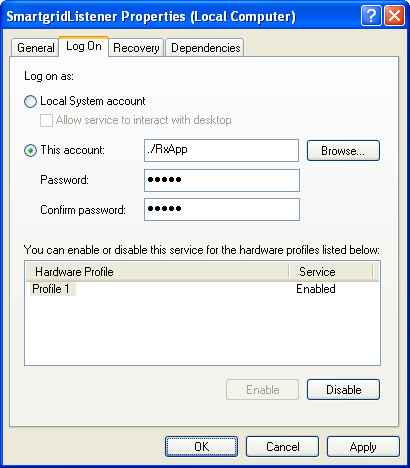
The Smartgrid Listener service should be run by the same login user that runs the Responder service (e.g., RxApp). This user is created automatically and set as the login user for the Smartgrid Listener service. However, if for some reason this fails, the login user will need to be changed manually. Use the following steps to change this user.
|
|
Send Comment to documentation@schneider-electric.com |