Follow these steps to add a vertical brackets to an assembly:
- Click the plus (+) symbol next to the inline assembly name.
- Select Vertical Bracket from the fly-out menu. This option is only available when no attachment hardware, cross arms, or other vertical brackets exist on the assembly.
- Select the Bracket Spec from the drop-down list. This list is populated with any eye bolts, braced brackets, or stand off brackets created in Assembly Creator. Refer to the Bracket Hardware topic for information on creating these brackets.
- Select the Insulator Spec from the drop-down list. The list is populated with any valid insulators for the bracket type created in Assembly Creator. Each time the value of the list changes, the canvas will display the current selection. Refer to the Insulator topic in this guide for information on creating these components.

Eye bolts can only accept suspension insulators. Stand off brackets can accept pin, post, and suspension insulators. Braced brackets will accept any type of insulator.
- Set the number of brackets to place on the assembly in the Bracket Quantity field.
- Set the vertical distance between brackets in the Distance Between Brackets field.
- Select Vertical, Staggered, or Paired by clicking the appropriate icon.
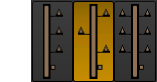
Vertical, staggered, and paired icons with staggered selected.
|
Double-clicking an individual vertical bracket will open its edit form where you can adjust that component's attributes. If only one vertical bracket exists in the assembly, you will be able to adjust bracket quantity, distance apart, and position. |
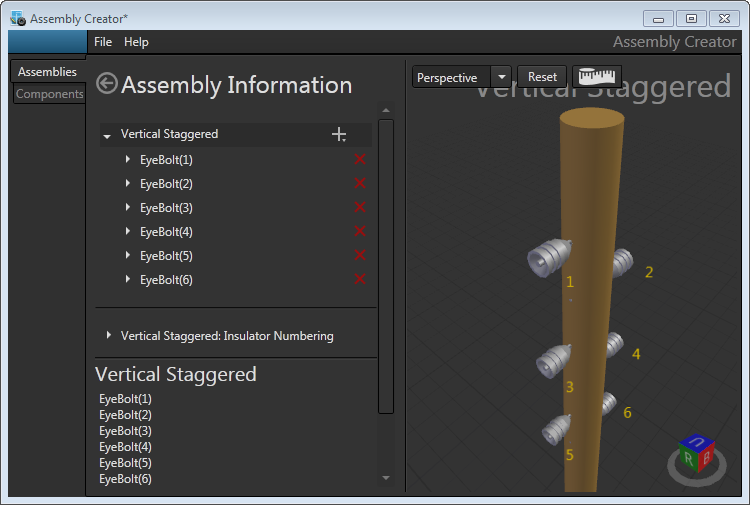
Creating an assembly with vertical, staggered brackets.
|
Because Assembly Creator does not model the exact physical specifications of brackets, the Overhead Design Analysis (OHDA) tool will not calculate transverse wind loads on the equipment. |
