
ArcFM Desktop Configuration Guide
Update Replication Service Login
| ArcFM Desktop > Mobile - Desktop > Mobile Designer > STEP 1: Set Up Directory Structure > Update Replication Service Login |
This step is necessary only if you are using Geodatabase Replication.
The domain user created in the Before You Begin section is used to run the Geodatabase Replication Server Service. This step gives the domain user access to login to the service.
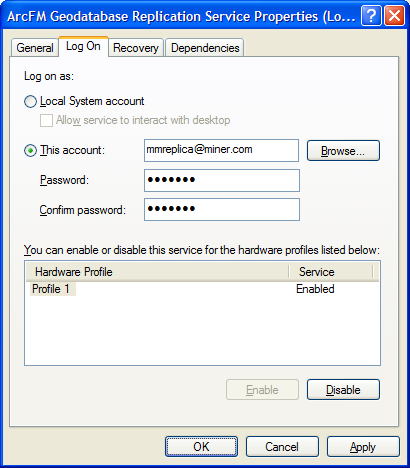
Figure 1, Log On tab
